
Billing-aware schedule blocks
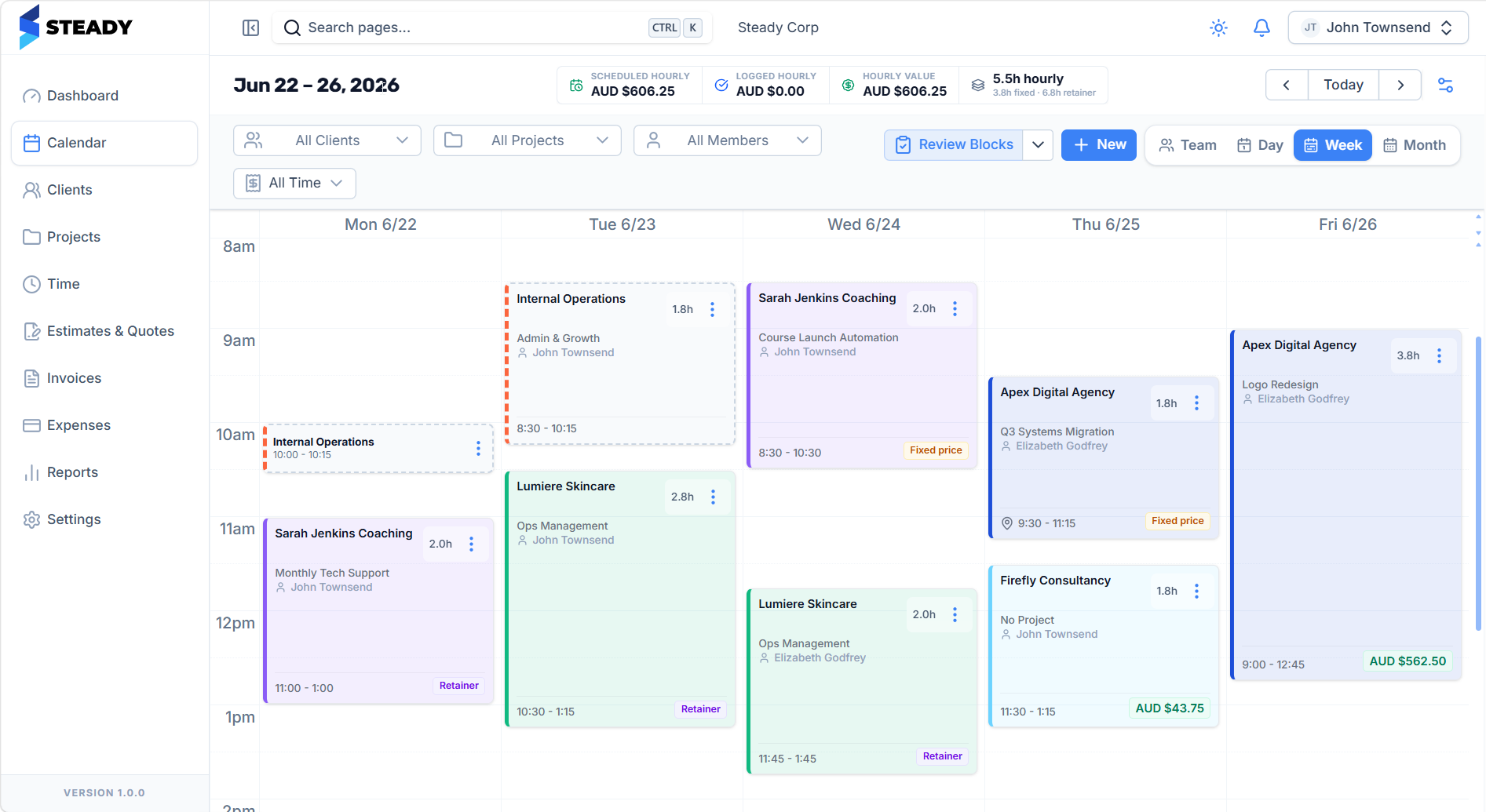
Each block can carry client, project, assignee, rate, billing type, retainer, fixed-price status, and work notes.
Capacity planning
Plan client work before it happens, protect weekly capacity, and keep value, billing type, retainer status, and invoice readiness visible on the calendar.
Steady feature
Calendar-first planning
Scheduled value
Visible upfront
Billing modes
4 work types
Capacity
Solo and team
Without a system
With Steady
What it includes
Each block can carry client, project, assignee, rate, billing type, retainer, fixed-price status, and work notes.
Plan your own week or coordinate capacity across team members with filters for clients, projects, people, and time.
Scheduled hourly work updates planned value before the invoice exists.
Weekly hours and utilization reporting help you see whether the work fits before it becomes a delivery problem.
Review blocks before converting them into time entries so invoices start from clean records.
Fixed-price, retained, hourly, and internal work stay visually distinct on the calendar.
Workflow
Steady keeps the commercial context attached as work moves from planning to delivery, client approval, invoicing, and payment.
Schedule the client work and attach the correct project, team member, rate, retainer, and billing mode.
Review the week by member, client, project, scheduled value, hourly work, fixed-price work, and retained work.
Turn completed blocks into time entries with context already attached.
Use verified time entries, expenses, retainers, and catalogue items to build invoices without reconstructing the week.
Why it matters
When the calendar understands how work should be billed, the rest of the business loop becomes cleaner.
Questions
Ready to see it live?
Plan the work, protect capacity, manage retainers, keep margin visible, and invoice from records you can trust.